<?php require 'header.php'; ?>
<main>
    <section class="row">
        <article class="col-md-10 col-md-offset-1">
            <h1 class="intro">Unity: Lerpz Maze game development process.</h1>
            <br>
        </article>
    </section>

        <section class="row">
        <article class="col-md-10 col-md-offset-1">
            <div class="col-md-10 col-md-offset-1">
            <p>This <em>electronic</em> document covers information about how the maze game was developed and how features were planned. It includes screenshots of keypoints and features in the game that identify the game criteria.</p>
            <br>
            <h3>Planning and game design.</h3>
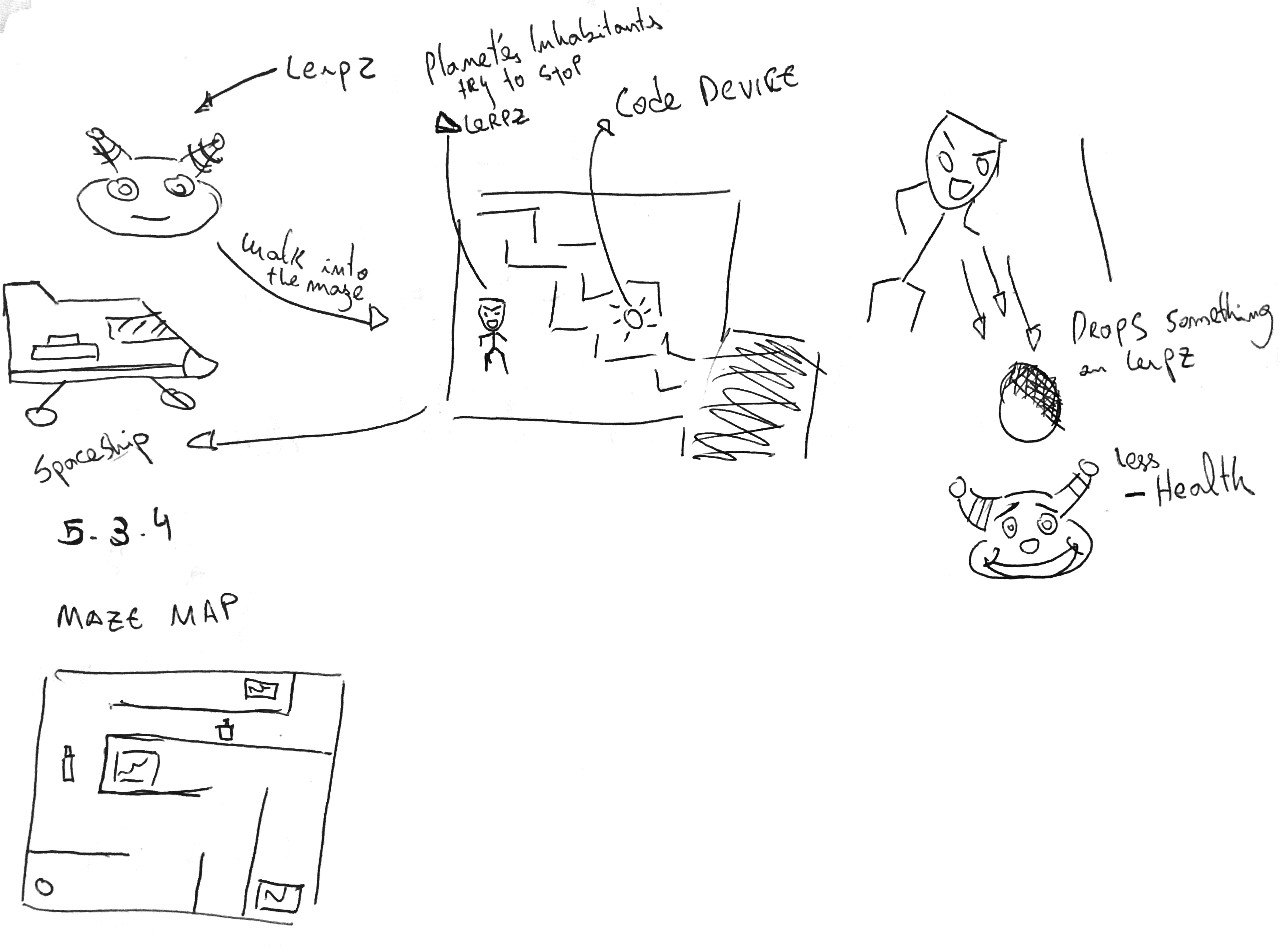
            <p>A plan of the game was drawn out and illustrated game features and how the game would generally work. This considered what features would need to be included in the game and it what way in order to match it's criteria.</p>
            <br>
                <figure class="img-thumbnail center-block">
                    <img src="images/unity_sketches.png" class="img-responsive center-block" title="Sketches of game development plan.">
                    <figcaption><i><b>Initial studies on how to develop the game.</b></i></figcaption>
                </figure>
                <br>
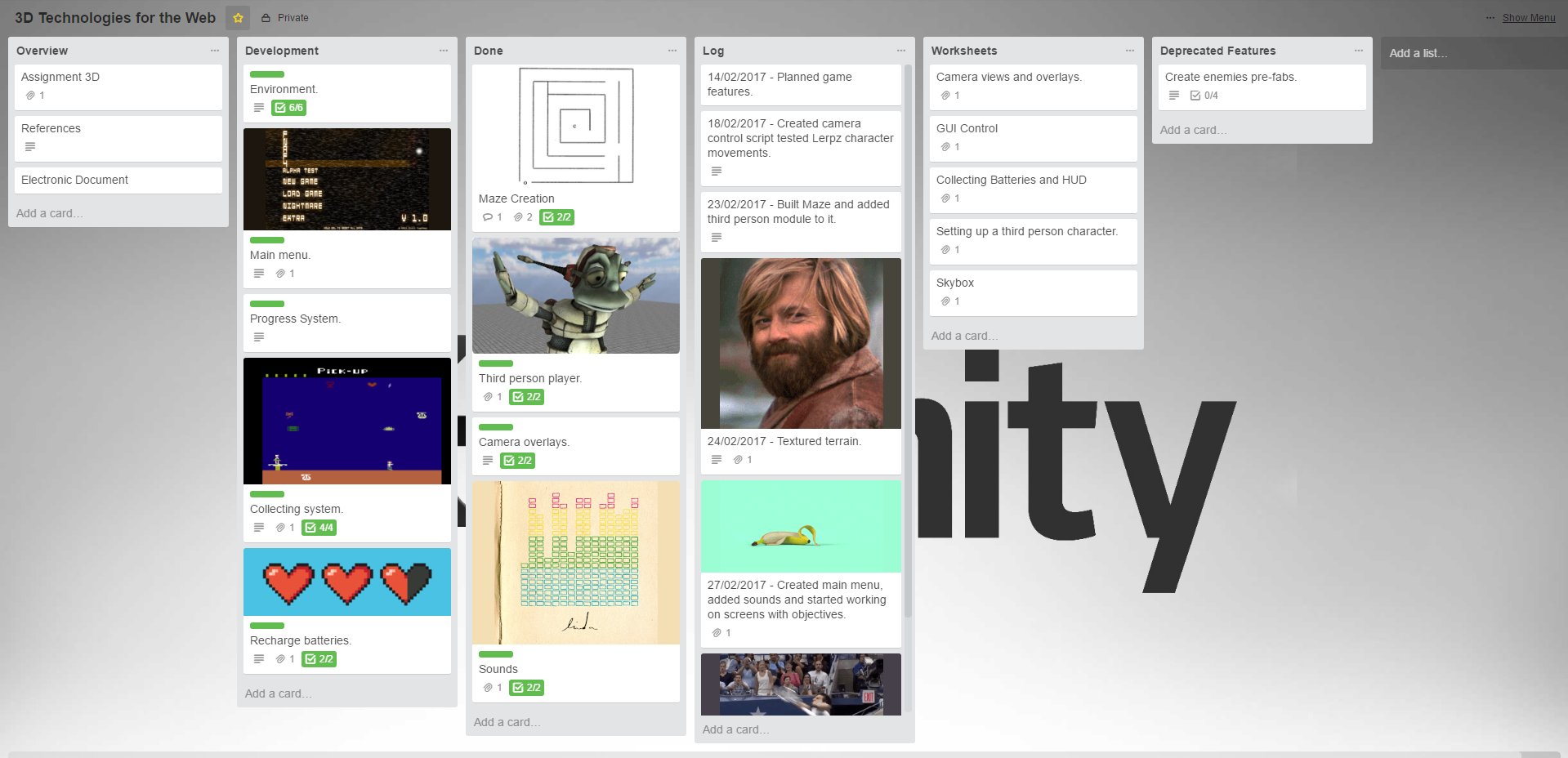
                <p>From sketching the layout of the game, development tasks were split into modules making it easier to develop to the game. For instance, creating the maze would be a module while implementing the GUI would be another. Since the game had a lot of features to implement, a project managent tool was used in order to document it's development progress.</p>
                <br>
                <br>
                <figure class="img-thumbnail center-block">
                    <img src="images/unity_trello.png" class="img-responsive center-block" title="Trello board used for project management.">
                    <figcaption><i><b>Trello was used to document and keep track of progress while developing the game.</b></i></figcaption>
                </figure>
                <br>
            </div>
        </article>
    </section>
    <br>

    <section class="row">
        <article class="col-md-10 col-md-offset-1">
            <div class="col-md-10 col-md-offset-1">
            <h3>Building the maze.</h3>
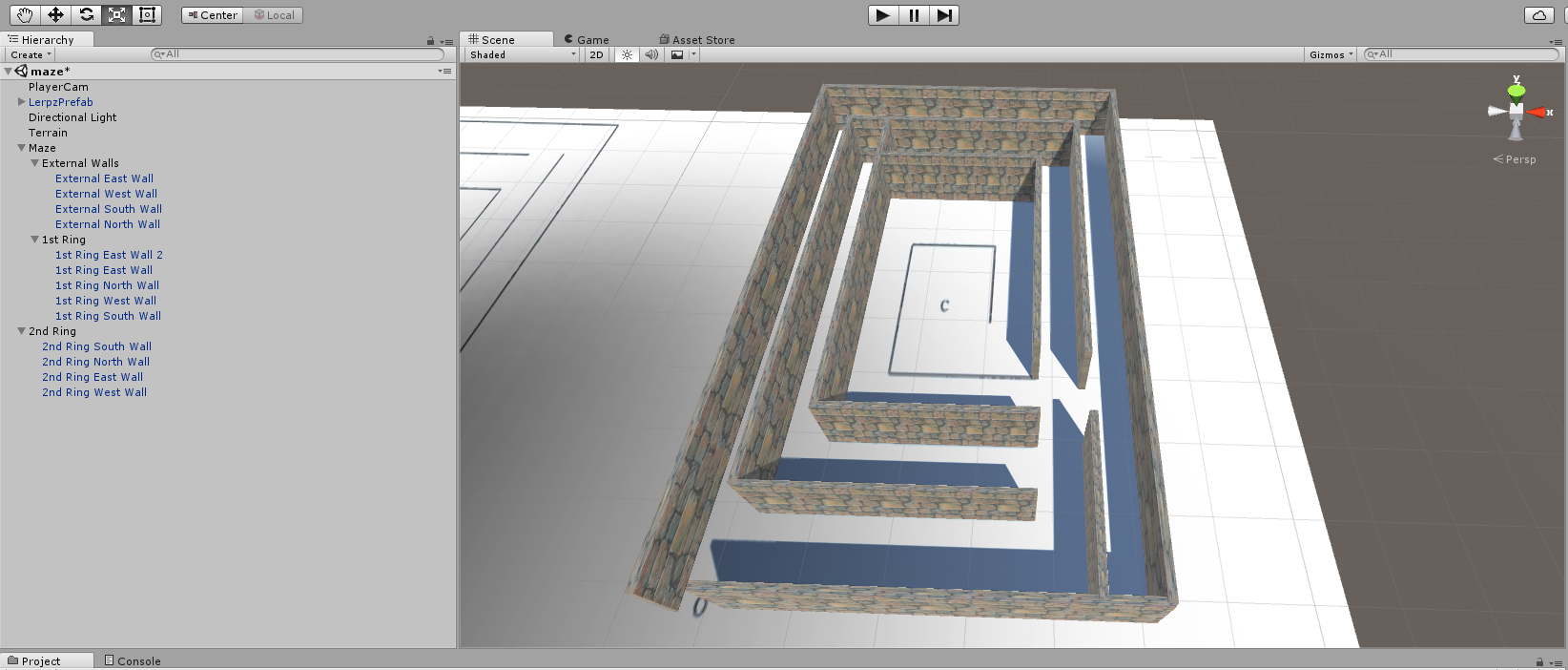
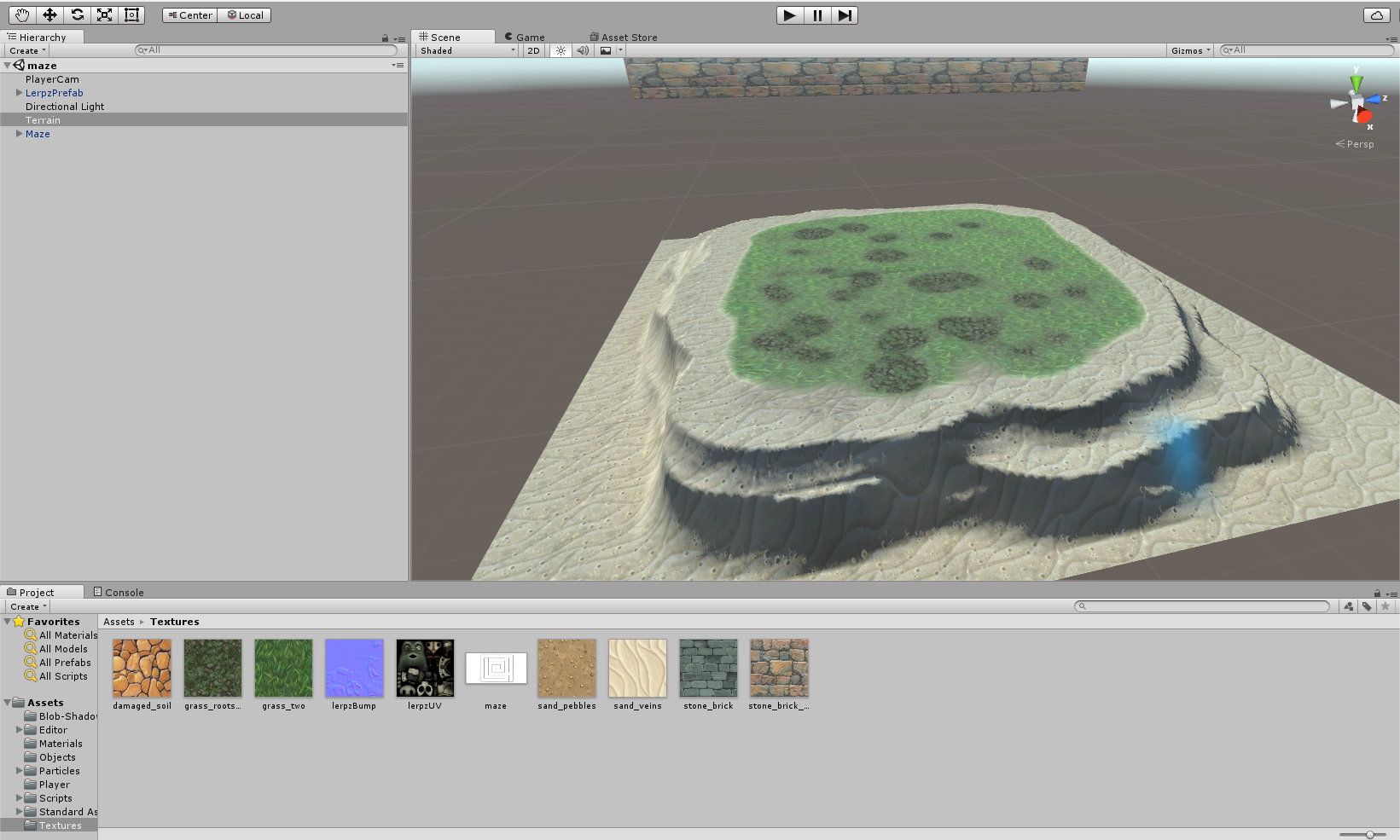
            <p>One of the key parts of the game is a maze that Lerpz needs to go into and retrieve the CODE device to fix his spaceship. After researching a few mazes, it was decided that the maze should not be too complex to the point it would extend gamplay to more than 10 minutes as system that would hinder player from reaching the center would be added later. With this in mind a texture was added to the terrain and the maze was created from it.</p>
            <br>
                <figure class="img-thumbnail center-block">
                    <img src="images/unity_maze_creation.png" class="img-responsive center-block" title="Creating based using texture.">
                    <figcaption><i><b>Creating a maze from a texture applied to a terrain in Unity.</b></i></figcaption>
                </figure>
                <br>
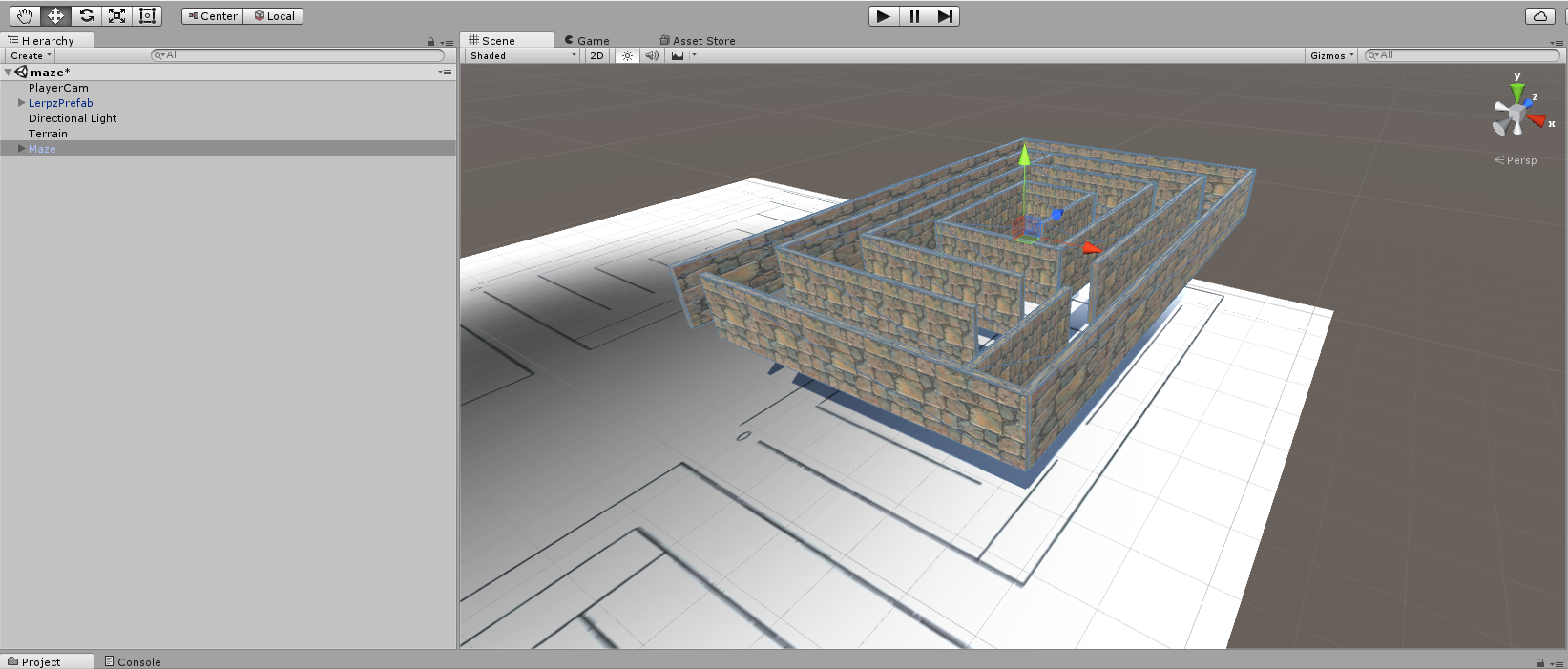
                <p>While creating the maze it helped naming each wall and grouping each section into one object. Textures were added and adjusted to make the walls look more natural. When the maze was completed it was added to a prefab, this allowed to scale and moved all the walls proportionally.</p>
                <br>
                <figure class="img-thumbnail center-block">
                    <img src="images/unity_maze_creation_2.png" class="img-responsive center-block" title="Maze prefab.">
                    <figcaption><i><b>A photo of the maze in it's final stages.</b></i></figcaption>
                </figure>
                <br>
                <p>After completing the maze, the terrain was textured rescaled in order to improve performance. Additionally a skybox and water was added.</p>
                <figure class="img-thumbnail center-block">
                    <img src="images/unity_terrain_treatment.png" class="img-responsive center-block" title="Terrain treatment.">
                    <figcaption><i><b>Creating a maze from a texture applied to a terrain in Unity.</b></i></figcaption>
                </figure>
                <br>
            </div>
        </article>
    </section>
    <br>

        <section class="row">
        <article class="col-md-10 col-md-offset-1">
            <div class="col-md-10 col-md-offset-1">
            <h3>Maze map using top down camera.</h3>
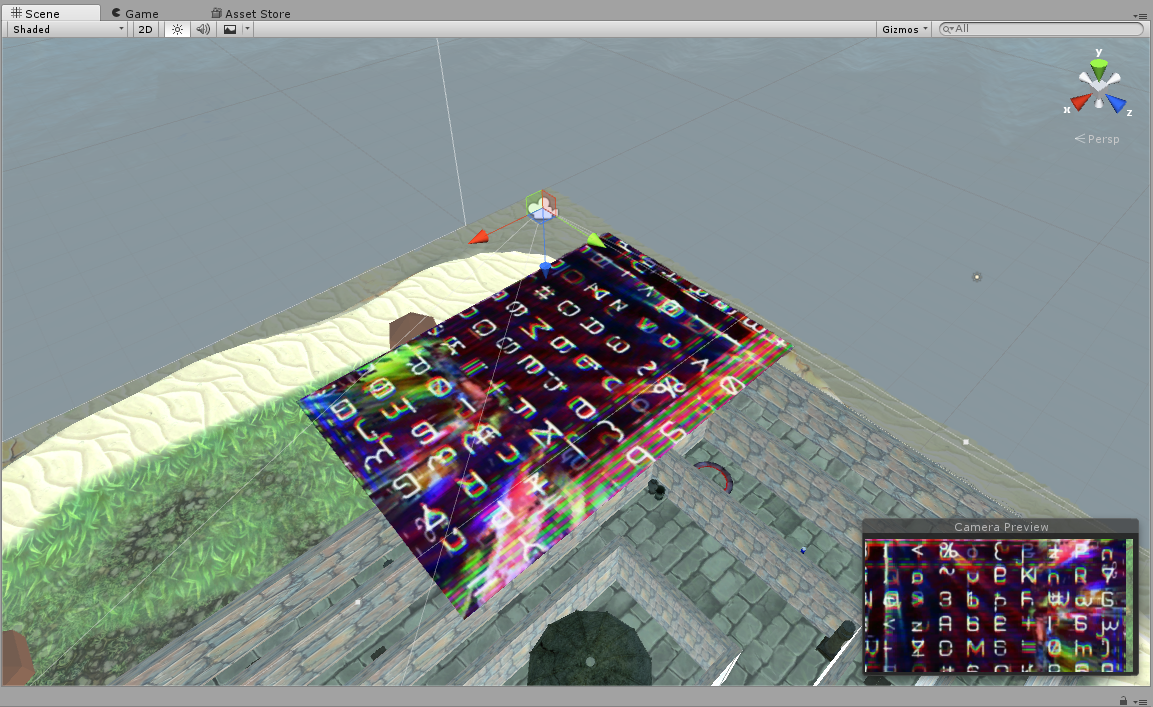
            <p>Another criteria of the game is getting Lerpz to completing a task before reveling the maze. After considering how to do this, an additional camera was setup pointing down at the maze. A camera overlay was set up and a plane was added in front it, keeping the player from seeing the whole maze before completing the task.</p>
              <br>
                <figure class="img-thumbnail center-block">
                    <img src="images/unity_top_view_1.png" class="img-responsive center-block" title="Camera positioned on top of the maze with a place in front of it.">
                    <figcaption><i><b>Camera positioned on top of the maze with a place in front of it.</b></i></figcaption>
                </figure>
                <br>
                <p>Althought the camera that reveals the maze was set up, Lerpz needs to complete a task in order to reveal the maze. As a task, Lerpz should pick up at least four batteries in order to be able to see the whole maze. The plane that covers the top down camera would then move and be destroyed, revealing the maze.</p>
                <br>
                <figure class="img-thumbnail center-block">
                    <img src="images/unity_top_view_2.png" class="img-responsive center-block" title="The top camera view can be seen on the bottom right corner in play mode once Lerpz picks up four batteries.">
                    <figcaption><i><b>The top camera view can be seen on the bottom right corner in play mode once Lerpz picks up four batteries.</b></i></figcaption>
                </figure>
                <br>
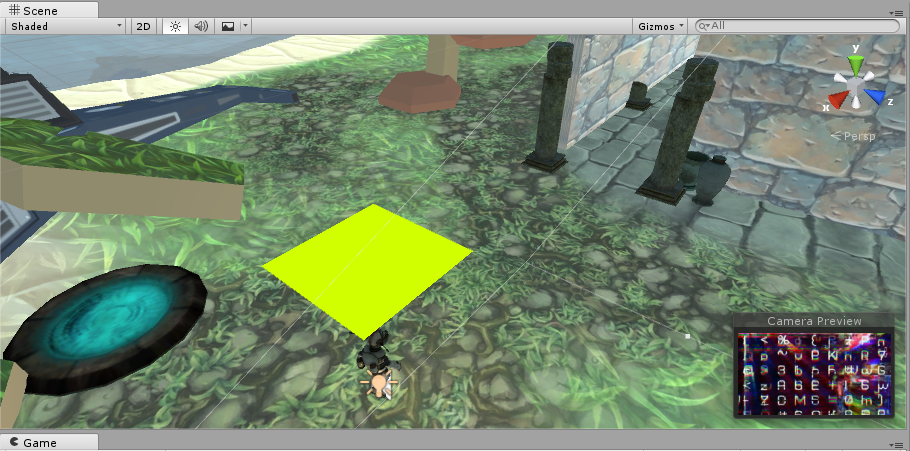
                <p>Additionally, a texture to the plane was added, making it look like it's malfunctioning until Lerpz picks up enough batteries and multiple batteries were placed across the maze. Futhermore another plane with a bright material was attached to the player as a visibility aid.</p>
                <br>
                <figure class="img-thumbnail center-block">
                    <img src="images/unity_top_view_3.png" class="img-responsive center-block" title="The bright green plane works a visibility aid when using the map for navigation.">
                    <figcaption><i><b>The bright green plane works a visibility aid when using the map for navigation.</b></i></figcaption>
                </figure>
                <br>
            </div>
        </article>
    </section>
    <br>

           <section class="row">
        <article class="col-md-10 col-md-offset-1">
            <div class="col-md-10 col-md-offset-1">
            <h3>Creating a main menu.</h3>
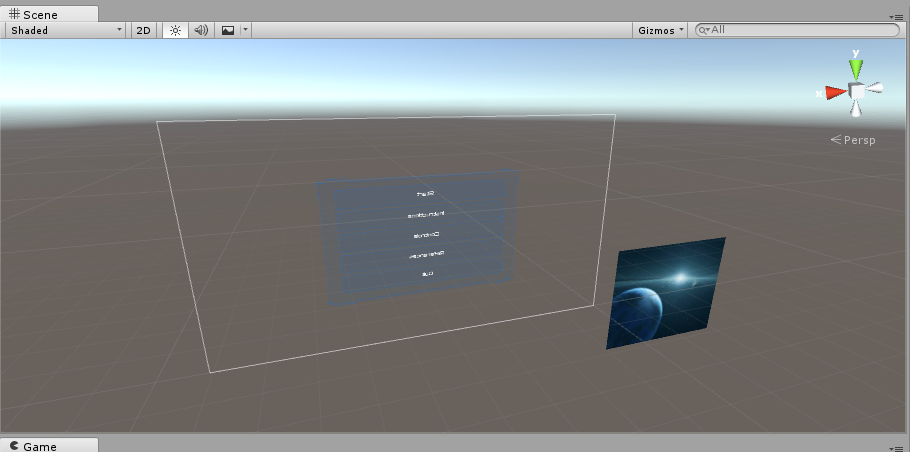
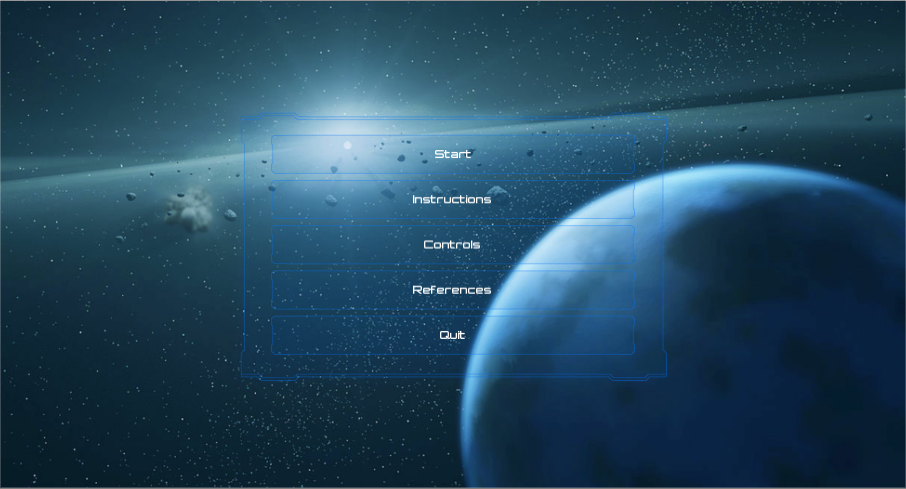
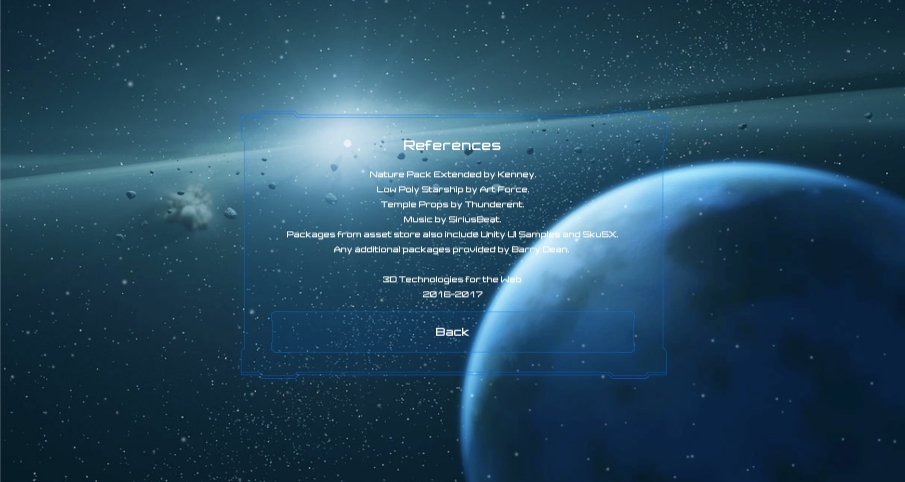
            <p>The main menu was created on a new scene. After following a <a href="https://unity3d.com/learn/tutorials/topics/user-interface-ui/creating-main-menu" target="_blank">Unity tutorial on UI</a>, it was easier to set up a menu using the Unity Sample UI package. The menu includes a <i>Start</i> button that redirects to the maze scene and allows the player to control Lerpz. It also includes buttons to access information about the story and references on downloaded packages.</p>
            <br>
                <figure class="img-thumbnail center-block">
                    <img src="images/unity_main_menu_4.png" class="img-responsive center-block" title="Creating the main menu requires a canvas object with nested elements.">
                    <figcaption><i><b>Creating the main menu requires a canvas object with nested elements.</b></i></figcaption>
                </figure>
                <br>
                <figure class="img-thumbnail center-block">
                    <img src="images/unity_main_menu_1.png" class="img-responsive center-block" title="Screenshot of the final menu in play mode.">
                    <figcaption><i><b>Screenshot of the final menu in play mode.</b></i></figcaption>
                </figure>
                <br>
                <figure class="img-thumbnail center-block">
                    <img src="images/unity_main_menu_2.png" class="img-responsive center-block" title="Creating the main menu requires a canvas object with nested elements.">
                    <figcaption><i><b>References in one of the options in the menu that displays text along with Story and Controls.</b></i></figcaption>
                </figure>
            <br>
            </div>
        </article>
    </section>
    <br>

        <section class="row">
        <article class="col-md-10 col-md-offset-1">
            <div class="col-md-10 col-md-offset-1">
            <h3>Updating player's progress.</h3>
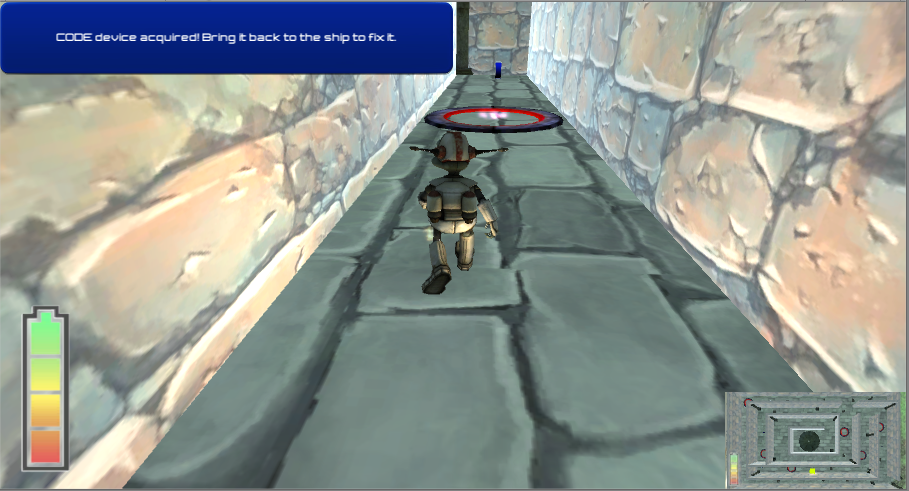
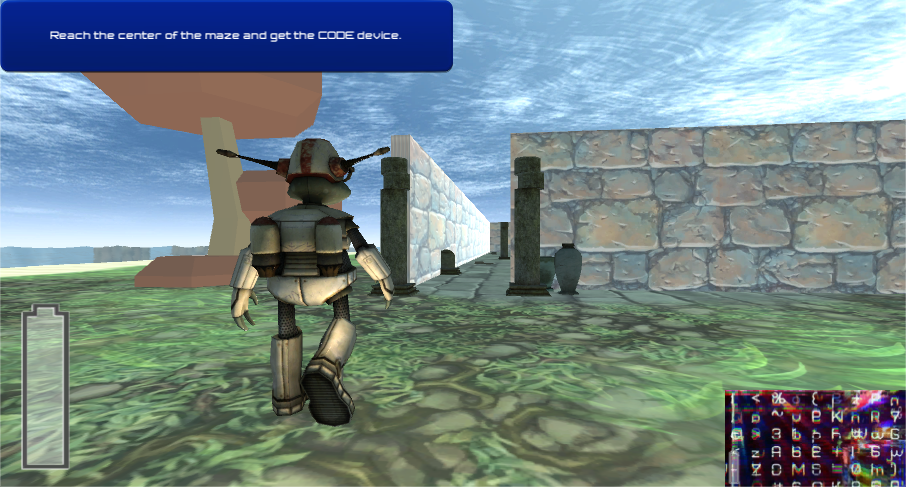
            <p>In order to let the player know of progress current objective of the game a canvas with a text object was used. This text object is updated based on events such as item collection.</p>
            <br>
                <figure class="img-thumbnail center-block">
                    <img src="images/unity_display_goals_1.png" class="img-responsive center-block" title="Creating the main menu requires a canvas object with nested elements.">
                    <figcaption><i><b>Creating a canvas object and positioning it on the screen.</b></i></figcaption>
                </figure>
                <br>
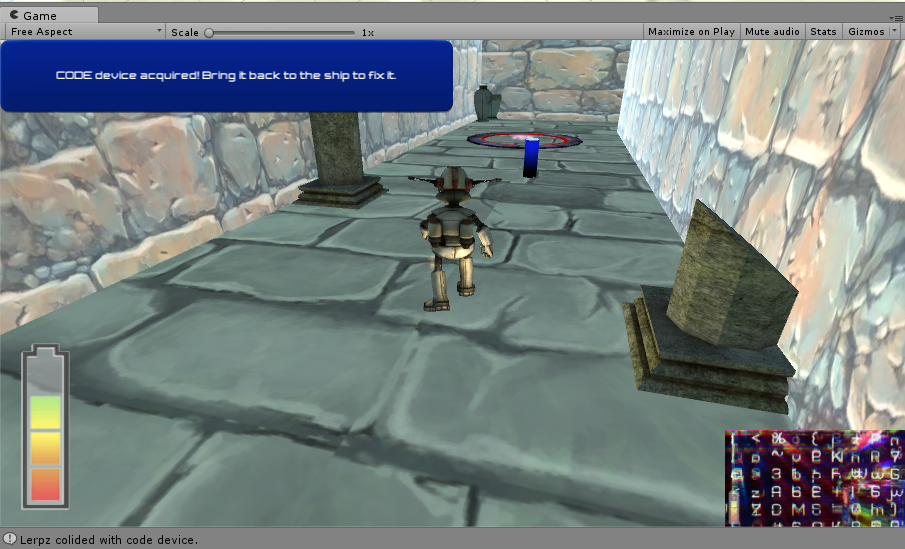
                <p>The text updates when Lerpz collects the code device and when it bring's it back to the Spaceship.</p>
                <br>
                <figure class="img-thumbnail center-block">
                    <img src="images/unity_gui_1.png" class="img-responsive center-block" title="The text on the top left corner updates player on it's progress.">
                    <figcaption><i><b>The text on the top left corner updates player on it's progress.</b></i></figcaption>
                </figure>
                <br>
                <figure class="img-thumbnail center-block">
                    <img src="images/unity_gui_2.png" class="img-responsive center-block" title="The text updates when Lerpz completes an objective.">
                    <figcaption><i><b>The text updates when Lerpz completes an objective.</b></i></figcaption>
                </figure>
                <br>
                <p>Additionally, a texture to the plane was added, making it look like it's malfunctioning until Lerpz picks up enough batteries and multiple batteries were places across the maze.</p>
                <br>
            </div>
        </article>
    </section>
    <br>

    <section class="row">
        <article class="col-md-10 col-md-offset-1">
            <div class="col-md-10 col-md-offset-1">
            <h3>Placing traps.</h3>
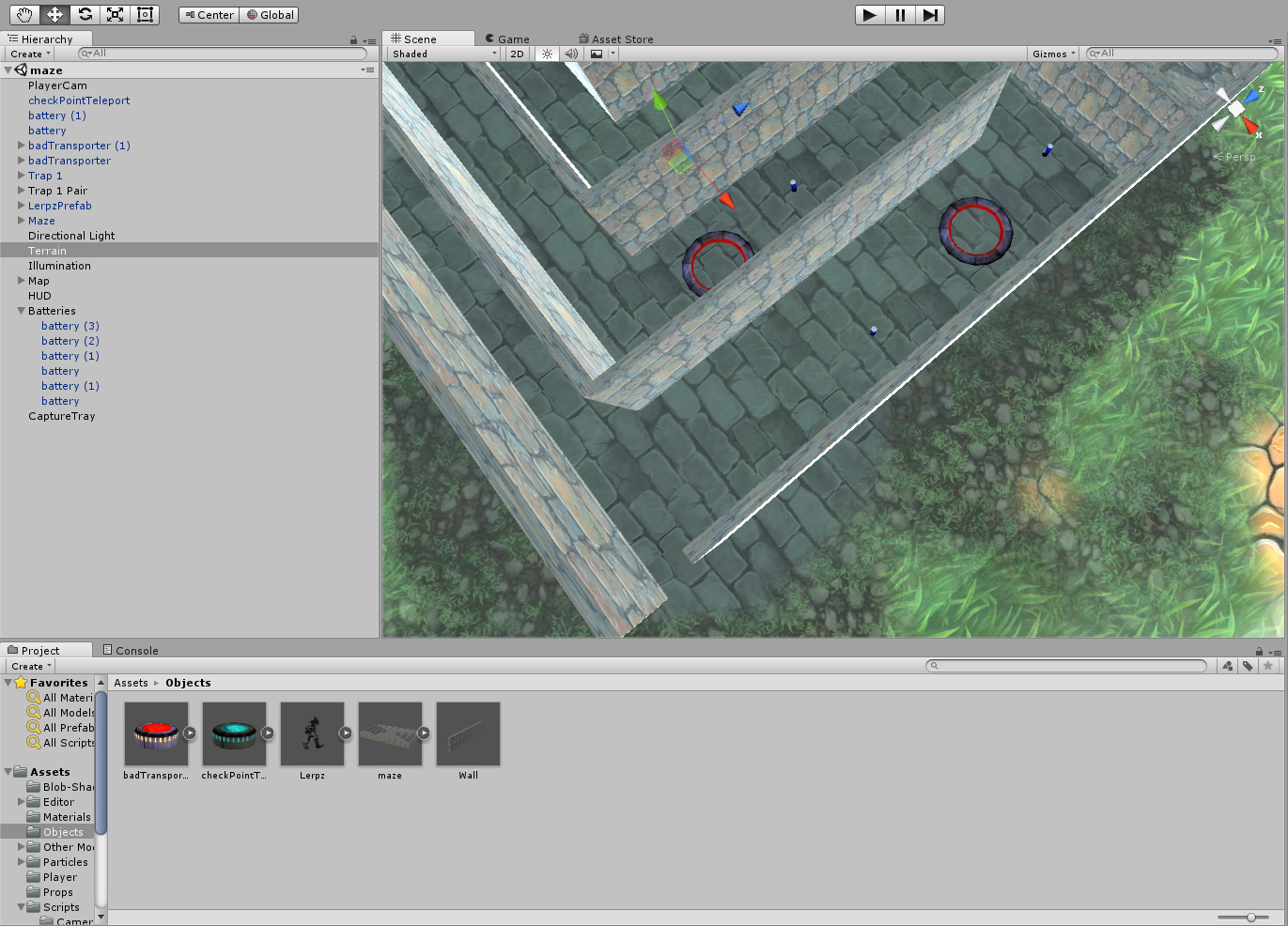
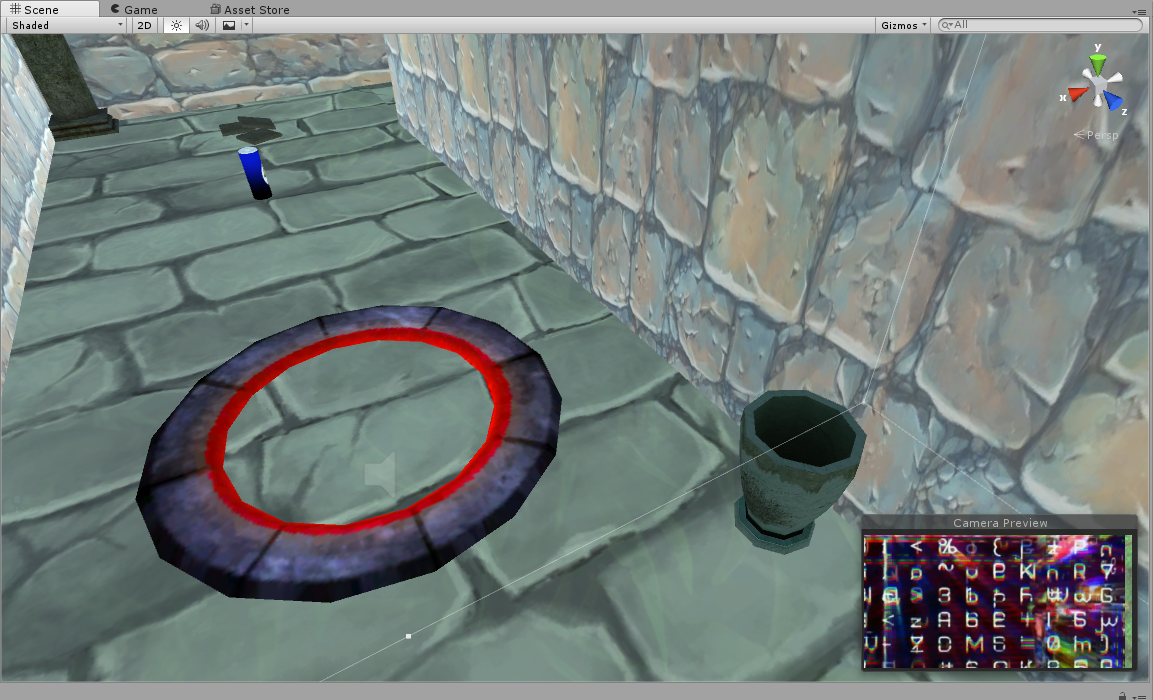
            <p>Traps where placed around the maze to stop Leprz from reaching the center. These traps teleport the Lerpz to a random area of the maze. The player then needs to find it's way back and may collect any batteries along the way in order to progress in revealing the map.</p>
            <br>
                <figure class="img-thumbnail center-block">
                    <img src="images/unity_obstacles_traps_1.png" class="img-responsive center-block" title="Placing traps arround the maze (red circle).">
                    <figcaption><i><b>Placing traps arround the maze (red circle).</b></i></figcaption>
                </figure>
                <br>
                <figure class="img-thumbnail center-block">
                    <img src="images/unity_decorations_1.png" class="img-responsive center-block" title="A single trap in detail.">
                    <figcaption><i><b>A single trap in detail.</b></i></figcaption>
                </figure>
                <br>
                <p>Decorative elements were placed around the area like columns, trees, tiles and rocks in order to improve immersion and game level.</p>
            </div>
        </article>
    </section>
    <br>

        <section class="row">
        <article class="col-md-10 col-md-offset-1">
            <div class="col-md-10 col-md-offset-1">
            <h3>Splash screen.</h3>
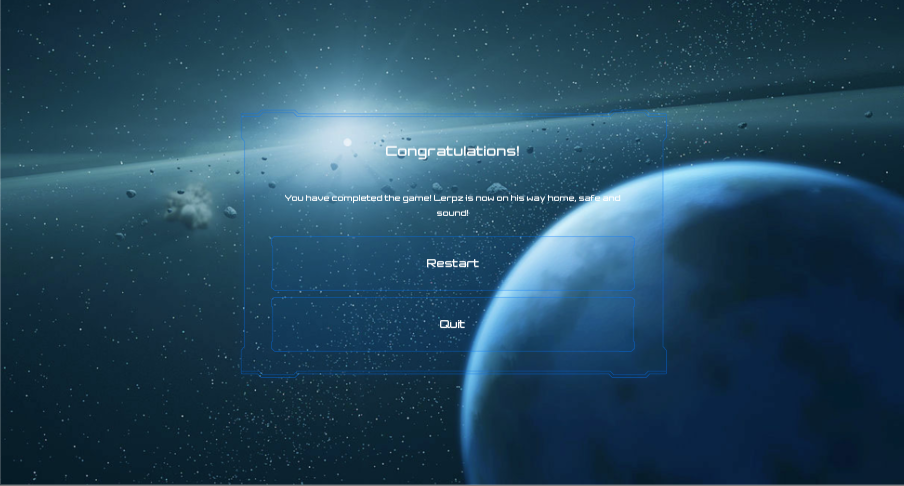
            <p>Upon completion of all game objectives a new scene will be loaded displaying a congratulative message along with a menu with a restart and a quit button (the latter is not available on webGL).</p>
            <br>
                <figure class="img-thumbnail center-block">
                    <img src="images/unity_main_menu_3.png" class="img-responsive center-block" title="Creation of an app, shows the structure of the aplication, a to do list and also the wireframe of it.">
                    <figcaption><i><b>The splash screen shows an appropriate message to the player with the option to restart the game.</b></i></figcaption>
                </figure>
                <br>
                <h4>Play the game.</h4>
                <p><a href="3dtw/maze/" target="_blank">Play the webGL version of the game.</a></p>
            </div>
        </article>
    </section>
    <br>
</main>
<?php require 'footer.php' ?>